12. Changing the style pages for Read the Docs
Most readthedocs.org pages look very similar, because until recently, there hasn’t been an easy tool for updating style sheets.
13. In Summary
By harnessing the power of git repositories, the creation of a nice website can be automated with just a few changes in a git repository.
Make sure Read the Docs service is turned on for your repository. Webhooks and Automation
13.1. Set up Read the Docs
Create a requirements.txt file inside your repository (either with a text editor, nano on the command line or directly through the web interface).
Past the following into the requirements.txt file.
https://pypi.python.org/packages/py2.py3/p/pip/pip-8.0.3-py2.py3-none-any.whl#md5=b234250205337ff67967dff300001e3d
https://pypi.python.org/packages/2.7/S/Sphinx/Sphinx-1.3.5-py2.py3-none-any.whl#md5=ee41d9921df3f251bff900a60d608f9b
https://pypi.python.org/packages/2.7/P/Pygments/Pygments-2.1-py2-none-any.whl#md5=cc82b28005bae9b0e13c95afbe2ec1bc
sphinx-rtd-theme==0.1.8
sphinxjp.themes.basicstrap==0.4.3
Push the requirements.txt file into your repository.
Next, go to the readthedocs.org website for your project.
Find the Admin button on the overview page for your repository. In this case, it is the button all the way to the right.
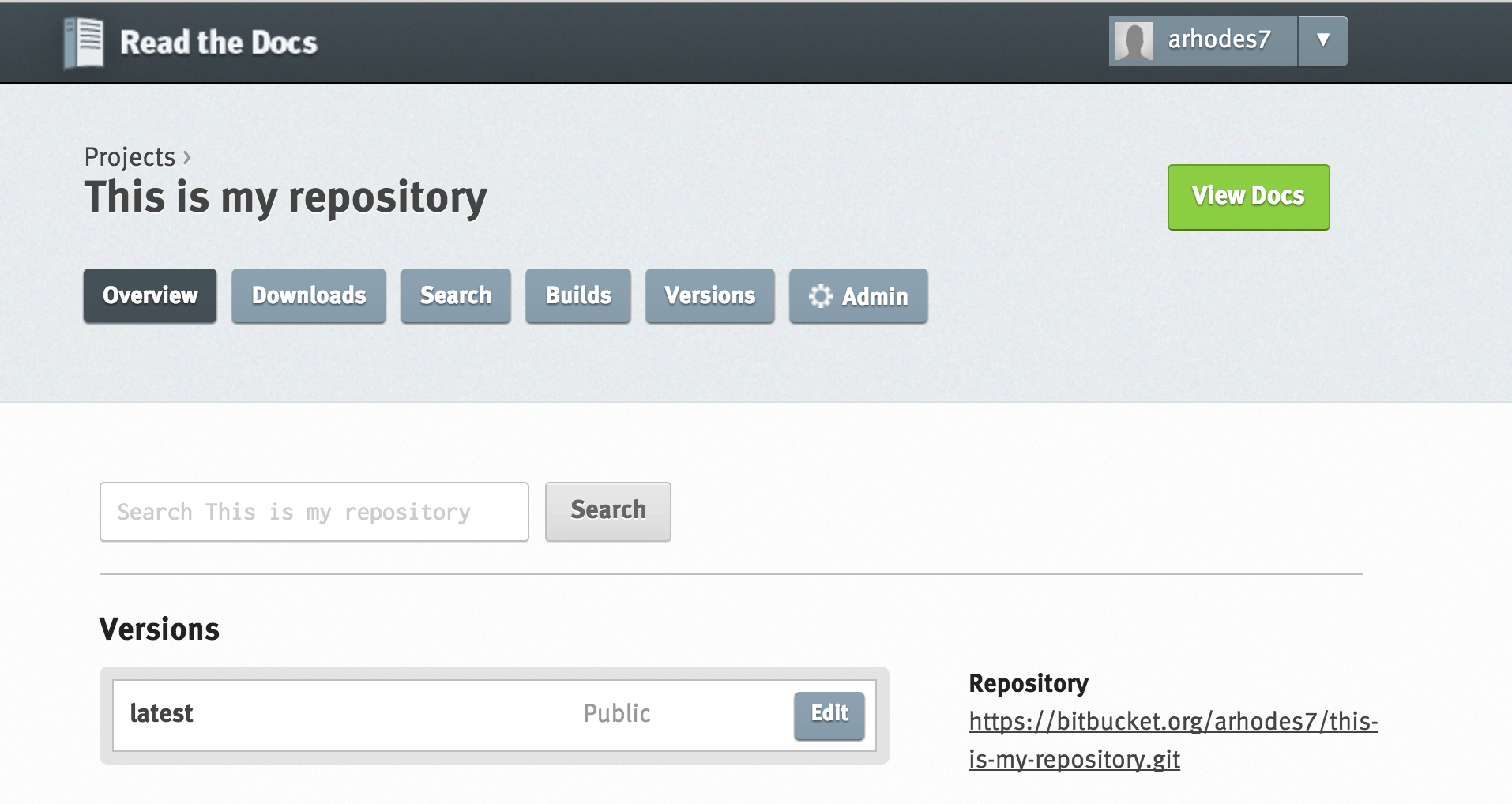
13.1.1. Open the advanced settings tab.
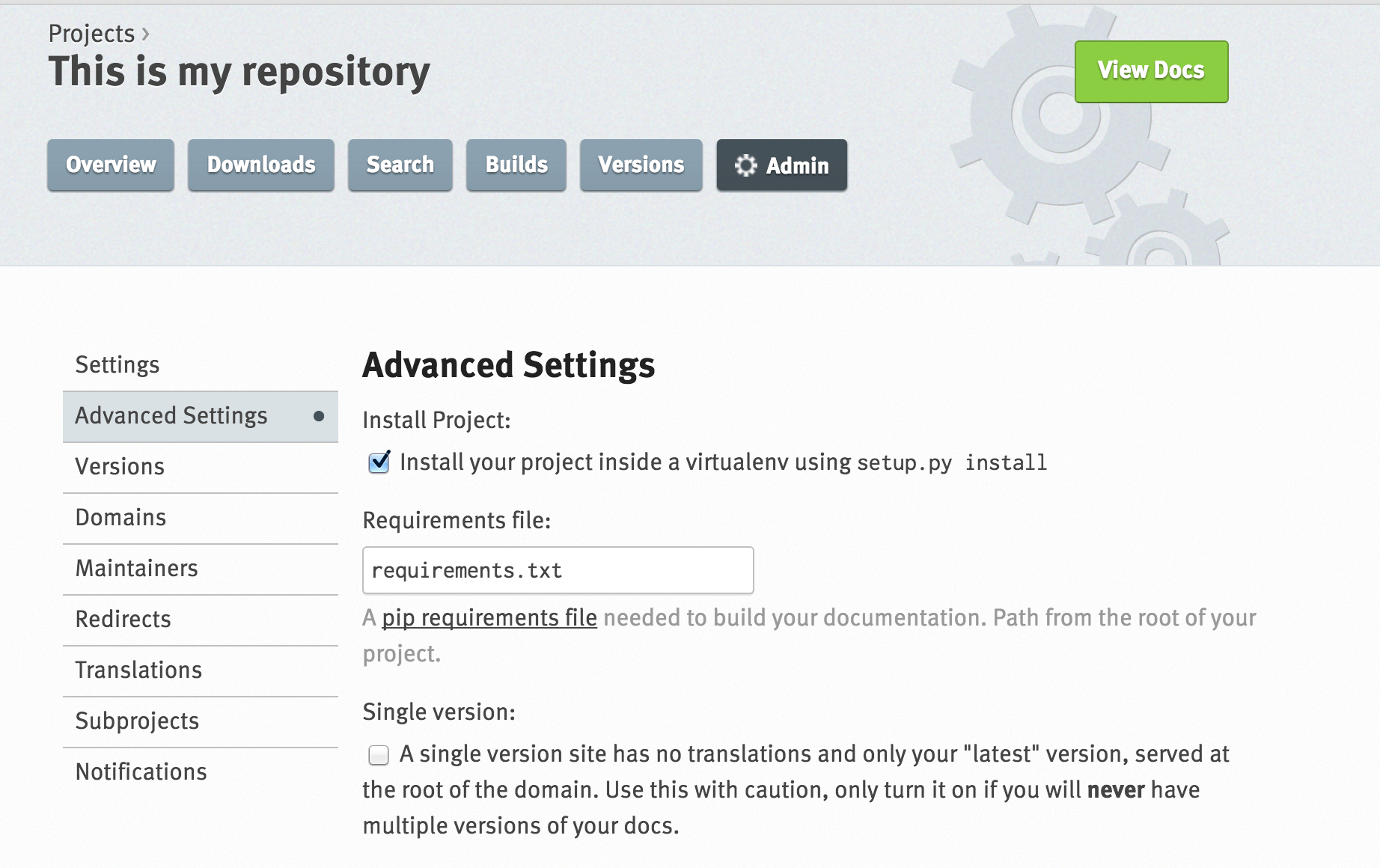
Complete two tasks. Check the box that says “Install your project inside a virtualenv using setup.py install”
In the box below that, put “requirements.txt” for the requirements file.
Submit your changes (the button is at the bottom of the page).
Add the configuration file, conf.py from the MAKING OUR DOCUMENTS LOOK NICE exercise to your repository, as well as all the style sheets (the entire source and build files).
When you copy the conf.py file, don’t forget to change the following:
master_doc = 'index'
In addition to the previous conf.py edits from the :doc: Style_Sheets exercise.
Finally, git push all the style sheet information from the desktop sphinx build for this page.
git add, git commit, git push from the command line also works well.
Github has a convenient drag and drop feature for this, if the command line version of git is still a challenge.